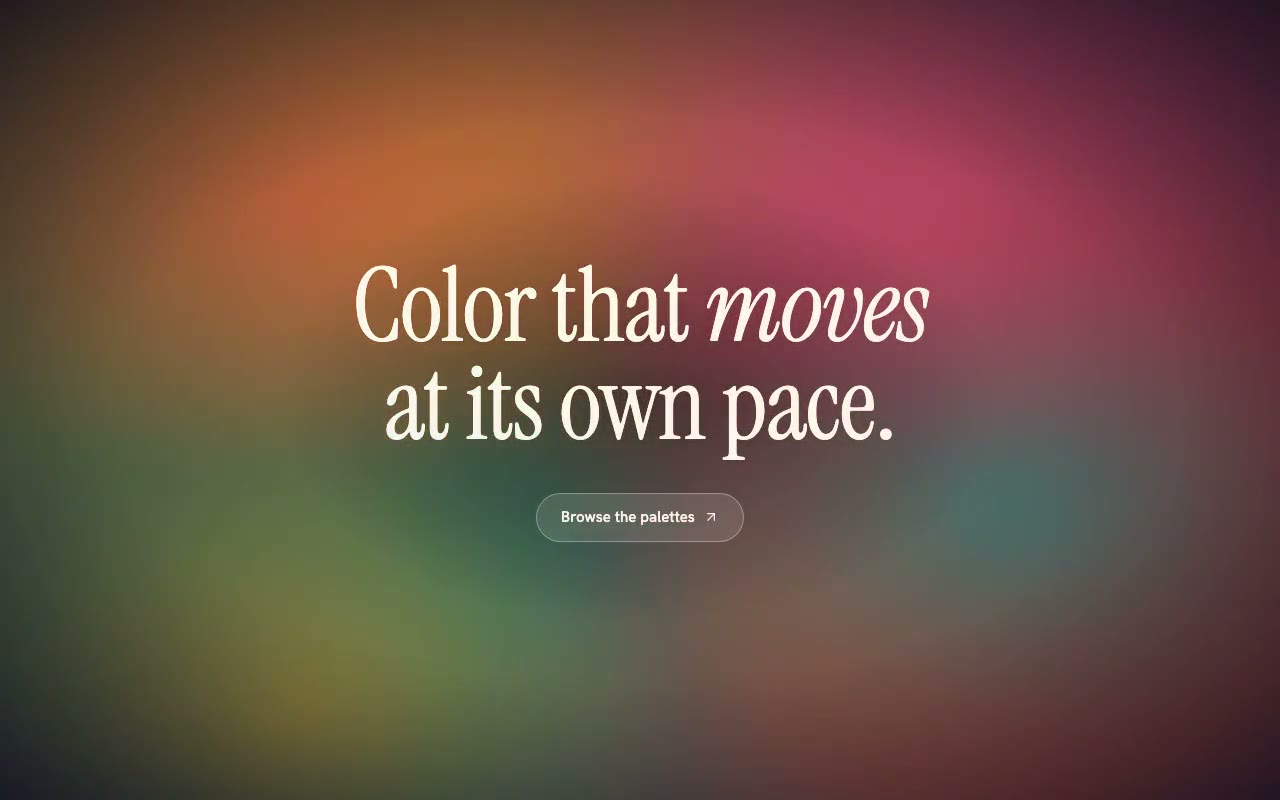
A coral, teal and marigold mesh turns slowly beneath a serif headline, with blooms drifting and the colour stops breathing in and out.
Prismoire — Conic Colour Mesh Background
A rotating conic colour mesh whose angle and gradient stops are animated through registered CSS properties, with four drifting colour blooms. For editorial heroes and launch pages that want rich colour without photography.
Create a free account to copy 3 premium prompts. No card needed
- 01Copy the promptClick the button above to copy the full prompt to your clipboard.
- 02Paste into your AI toolWorks in Claude, ChatGPT, Cursor, v0, Lovable, or Bolt.
- 03Swap in your brand detailsReplace the brand name, copy, and image URLs with your own.
- 04Drop the code into your projectThe output is a self-contained React component. Paste it straight in.
What it generates
- ✓PrismoireMesh component with colors, intensity, duration and blur props
- ✓Conic gradient whose rotation angle is a registered <angle> property, so it interpolates smoothly
- ✓Gradient stop position registered as a <percentage> property that breathes between 8% and 22%
- ✓Four screen-blended colour blooms that drift and scale on staggered 11–17s cycles
- ✓Italic serif headline with an inline emphasis word and a glass call-to-action button
- ✓Text scrim and edge vignette that keep cream type above 4.5:1 contrast
- ✓Staggered blur-in entrance and a 1.2s mesh fade so colour never pops in
- ✓Reduced-motion fallback that freezes the mesh as a static composition
Best for
- →Editorial and magazine-style landing pages
- →Creative tools and colour or design products
- →Launch pages that want colour without photography
- →Brand and lifestyle heroes with a warm, slow-moving feel
Not suitable for
- ✕Full multi-page websites (hero only)
- ✕Backend or database logic
- ✕Non-React frameworks (Vue, Svelte, etc.)
Written for
- ✓ClaudePreview built with Claude
- ✓ChatGPTPaste into a chat
- ✓CursorBuild inside your repo
- ✓v0 by VercelComponent generator
- ✓LovableApp builder
- ✓BoltIn-browser builder
Licence
Commercial use included. Use in client projects, products, and paid work. No attribution required.
Common questions
Related reading
Landing Page Hero Section Best Practices for 2026: The 7 Elements
Hero section best practices for landing pages and homepages: the seven elements every hero needs, the mistakes that cost conversions, and a checklist to use today.
Claude Prompts for Web Design: How to Write Them
Claude prompts for web design that produce a site you would ship, not a generic template. The structure, with examples you can copy.
Related prompts