
Design a waitlist hero for a pre-launch SaaS with an email capture form…
SaaS
SaaS Waitlist / Early Access Hero
High-converting waitlist capture hero with social proof counter and live count animation.
waitlistearly-accessemaillaunch
100% free, forever — no signup required
This is 1 of 5 always-free prompts.
Unlock all 52 — plus every new prompt we add — for $149/year or $399 once.
See pricing →How to use
- 01Copy the promptClick the button above to copy the full prompt to your clipboard.
- 02Paste into your AI toolWorks in Claude, ChatGPT, Cursor, v0, Lovable, or Bolt.
- 03Swap in your brand detailsReplace the brand name, copy, and image URLs with your own.
- 04Drop the code into your projectThe output is a self-contained React component — paste it straight in.
What it generates
- ✓Complete SaaS hero section in React + TypeScript
- ✓Tailwind CSS 3 — no extra packages needed
- ✓Mobile-responsive with touch support
- ✓Accessible markup with ARIA labels and focus rings
- ✓Staggered entrance animations
- ✓Copy-paste ready, zero configuration
Best for
- →SaaS landing pages
- →waitlist projects
- →early access projects
- →email projects
- →Client deliverables (commercial licence included)
Not suitable for
- ✕Full multi-page websites (hero only)
- ✕Backend or database logic
- ✕Non-React frameworks (Vue, Svelte, etc.)
Works with
- ✓Claude (Sonnet, Opus)Best results
- ✓ChatGPT (GPT-4o)Excellent
- ✓CursorGreat for editing
- ✓v0 by VercelVisual preview
- ✓LovableFull-stack ready
- ✓BoltFast output
Licence
Commercial use included. Use in client projects, products, and paid work — no attribution required.
Common questions
Does this generate a full website?
No — this prompt generates a single hero section (the above-the-fold area). It includes the navigation, hero layout, and any supporting elements like a marquee or footer strip, but it is not a full multi-page site.
What do I need to run the output?
A React project with Tailwind CSS 3. The prompt uses React 18 + TypeScript + Vite + Tailwind CSS 3. No additional packages are required unless specified in the prompt.
Can I customise the brand, colours, and copy?
Yes — the prompt uses a demo brand as a concrete example. Simply swap in your own brand name, headline, body copy, image URLs, and colour values when prompted by your AI tool.
Will the output look exactly like the preview?
The preview shows one possible output. Different AI tools render prompts slightly differently, but the core layout, interaction, and structure will match. Claude and GPT-4o produce the closest results.
Can I use this for client work?
Yes. A commercial licence is included with every copy. You can use the output in client projects, paid products, and agencies without attribution.
What if the output has bugs?
Paste the error back into your AI tool and ask it to fix it — most issues resolve in one or two follow-up messages. You can also re-paste the original prompt to start fresh.
Related reading
Design
The Anatomy of a Great Landing Page Hero Section in 2026
Every element of a hero section has a job. Most AI-generated heroes fail because the prompt doesn't specify what those jobs are. Here's the framework.
Read article →
GuidesHow to Write Claude Prompts That Generate Designer-Grade Websites
Claude is the best AI tool available for detailed web design work — if you know how to prompt it. Here is the exact structure that gets design-grade output instead of generic templates.
Read article →
Related prompts
SaaS
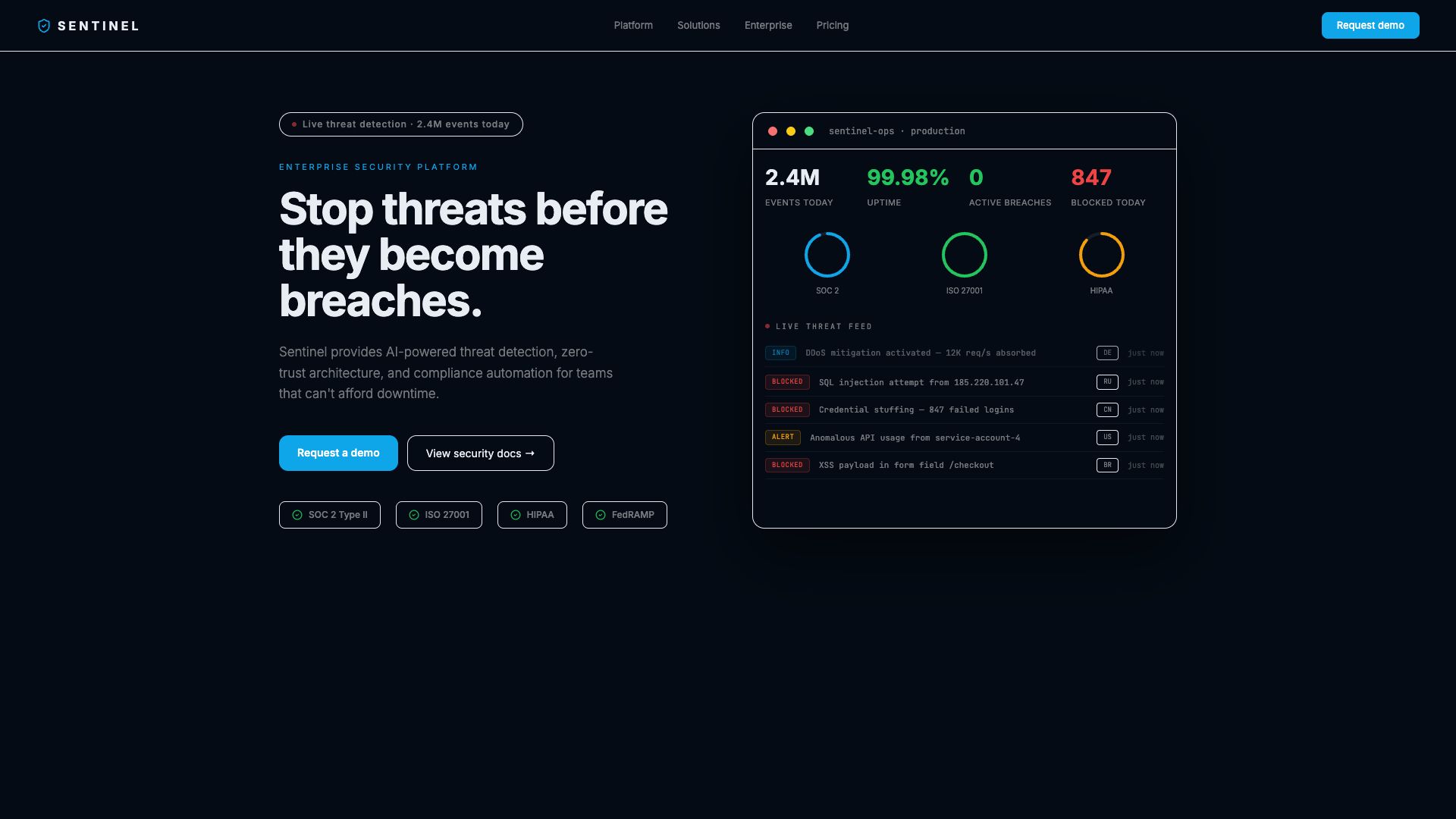
Sentinel — Enterprise Security SaaS Hero
A dark enterprise SaaS hero featuring a live security operations dashboard — threat feed scrolling in real time, SVG compliance score rings filling on load, and stat cards. Built for cybersecurity, compliance, and enterprise B2B platforms.
SaaS
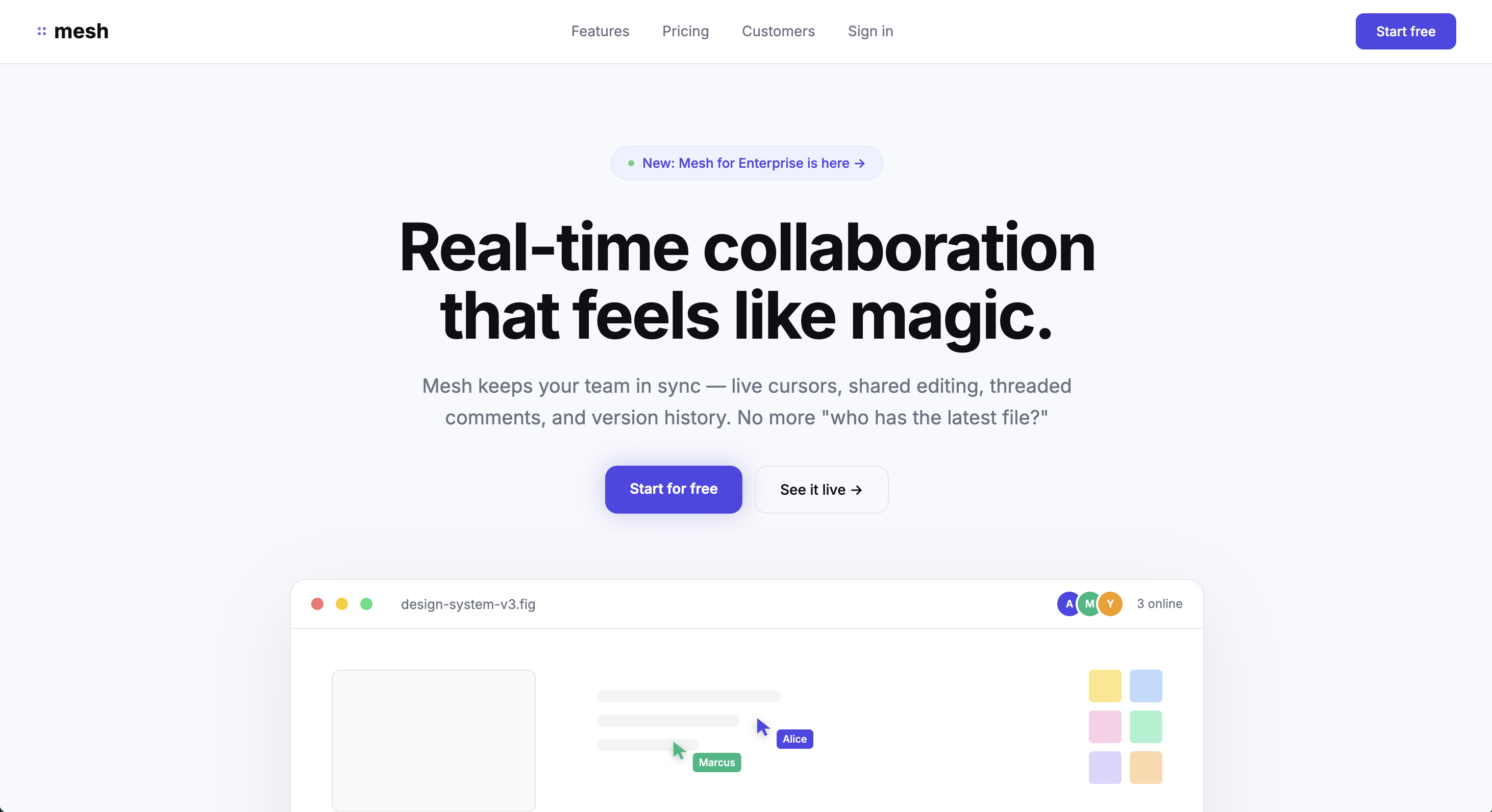
Mesh — Team Collaboration SaaS Hero
A SaaS hero featuring a live canvas mockup with three named team cursors moving along independent bezier paths, each occasionally popping comment bubbles. Shows the product in motion before a user clicks anything.
SaaS
Questly — SaaS Task Management
Light, conversion-focused SaaS hero with split layout, task dashboard mockup, and blue accents.