
Claude Code Prompts for Website Design, Section by Section
How to drive Claude Code in a real repo to build a website section by section: CLAUDE.md setup, spec-file prompts, scoped iteration and a browser check.
Claude Code builds a website well when you use it the way you would use a developer in your repository: give it a written spec, one section per task, and a check before the next task starts. The chat-window prompt structure is covered in how to write Claude prompts that generate designer-grade websites. This guide is about the repo workflow: the files Claude Code reads, how you split the work, how you change things without breaking what already works, and how to check the output.
Set up the repo before the first prompt
Claude Code reads the project it is working in, so setup is what makes every later prompt shorter. Three things are worth doing first.
Start from a known stack. A Vite and React project with TypeScript and Tailwind is the stack the prompts in our library assume. State it once, in CLAUDE.md, rather than in every prompt.
Write a CLAUDE.md that holds the rules. CLAUDE.md is loaded as project instructions, so anything you would otherwise repeat belongs there: the stack, the commands to build and run, where the colour tokens live, how fonts are loaded, and the rules. Rules that matter for site work:
Save each spec as a file. Put each prompt in a folder such as docs/specs/, for example docs/specs/hero.md, and refer to it by path. In Claude Code you can reference a file with @ in your message, so the spec is read in full rather than retyped and paraphrased.
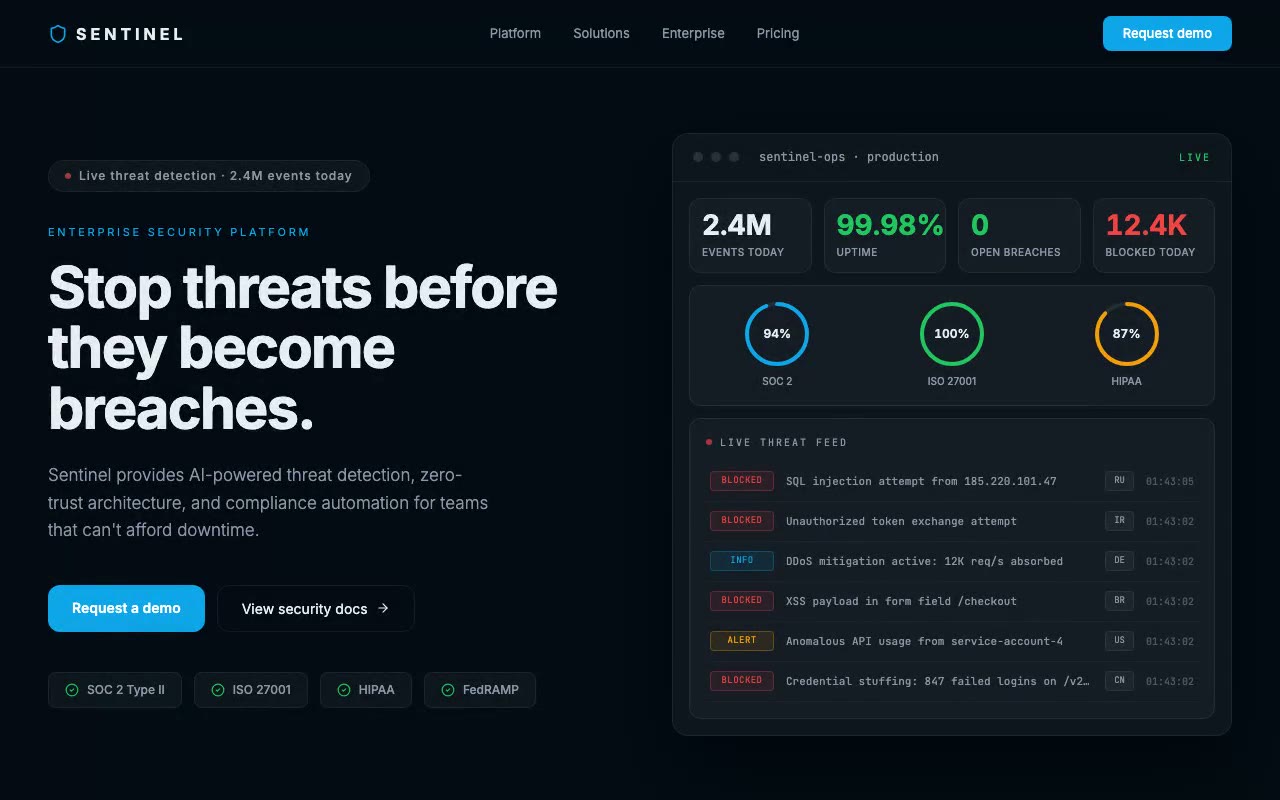
A spec file is where the decisions live. It survives a new session, which a chat message does not. Our Sentinel spec, for example, names its palette as tokens: sentinel-bg is #040B14 and sentinel-blue is #0EA5E9, so the colour is defined once and used by name everywhere else.
Start with a plan, not code
Ask for a plan before any code is written. Plan mode does this, or you can say it in the prompt:
"Read @docs/specs/hero.md. Before writing any code, list the files you will create or change, the tokens and fonts you will add, and anything in the spec that is ambiguous. Wait for my go-ahead."
The plan is where ambiguity surfaces cheaply. A spec that says "load from Google Fonts in index.html" is a problem in a Next.js project, which has no index.html. You want to catch that in a plan, not after six sections are built on the wrong assumption.
Build one section per task
Split the site the way you would split it for a human developer: foundation first, then sections in page order, each finished and checked before the next begins. A workable order:
Give each task the spec path, the component name and what not to touch:
"Build the hero from @docs/specs/hero.md as src/components/Hero.tsx. Use the tokens and fonts from the foundation. Do not change any other component."
Clear the session between sections with /clear, so the previous section's discussion doesn't crowd the next one. The spec file carries everything the next task needs.
A hero spec is a good model for a single-section task. The Sentinel spec describes a hero where "a threat-activity feed prepends a newly blocked attack every 3 seconds, three SVG compliance rings fill on load, and four stat cards count up to their live values." The mechanic, the data, the layout and the reduced-motion behaviour are all in one file, so the task is bounded.
Features are a good second-stage task too. A section like Ferrule's features bento grid has five cards and one stagger, which is small enough to finish in a single session.
Iteration prompts that do not break what works
Most damage to an AI-built site happens on the second prompt, when a change in one place alters something somewhere else. The fix is to say where the change goes and what must stay the same.
A vague iteration prompt:
"Make the hero feel more premium."
A scoped one:
"In src/components/Hero.tsx, set the headline letter-spacing to -0.045em and the subheadline size to 1.25rem. Do not change the feed, the stat cards or the animation delays. Run the build and report any errors."
Responsive fixes follow the same pattern. The Sentinel spec says that below the sm breakpoint the feed hides the region chip and the timestamp, so the message and badge still fit on one line at 375px. If a row wraps on a phone, the prompt is:
"In the threat feed, hide the region chip and timestamp below the sm breakpoint, as the spec says. Change nothing else."
After any change, ask for the scope. "Show me git diff --stat and confirm which files changed." If a file you did not mention has changed, ask why before you accept the change.
Check the output before you move on
Claude Code can run the build, the linter and the tests, and it can read console output you paste in. It cannot judge whether a section looks right or whether its motion feels right. That check is yours. Doing it the same way every time takes a few minutes per section:
Ask Claude Code to do the mechanical parts: "Run npm run build and fix any type or lint errors. Do not change any styling to do it." Then ask it to compare its work against the spec line by line and list anything the spec asks for that it did not implement. That list is usually shorter than expected, and it is a faster check than reading a 380-line component yourself.
Mistakes that come up in every project
Start with the foundation and one section. Once the CLAUDE.md rules and the spec-file habit are working, each new section takes less setup, and the repo carries the decisions from one session to the next. You can browse the SaaS prompts for more spec files to adapt.
FAQ
Do I need a CLAUDE.md file to build a website with Claude Code?
You don't strictly need one. Without it, though, you will repeat the stack, the rules and the file locations in every prompt. A short file with those facts makes each later prompt shorter and keeps the output consistent.
Is Claude Code better than chat for web design prompts?
They do different jobs. Chat is good for writing and refining a spec. Claude Code is better once the spec exists, because it can read your files, edit them and run the build. Write the spec in chat if you like, save it into the repo, then build in Claude Code.
How do I stop Claude Code changing parts of the site I did not ask about?
Name the file and the component in every prompt, say what must stay the same, and review the diff before you commit. The scoped iteration prompts above do most of the work.
Can Claude Code check how my site looks?
It can run the build, read errors and compare code against a spec. It cannot judge visual quality or the feel of motion, so look at the page yourself at phone and desktop widths, with reduced motion both on and off.
Should I use Claude Code or a website builder like v0 or Lovable?
If you are comfortable in a code editor and want to own the codebase, Claude Code suits that. If you want a hosted app built quickly, a builder may be the faster start. For a side-by-side view of the builders, read the v0 vs Lovable vs Bolt vs Cursor comparison.
Build a starter hero prompt in four questions with the free generator, or copy five prompts from the library with no account.
Get the next guide by email
New hero prompts and practical AI design guides like this one, when they go live. No spam, unsubscribe any time.
By signing up you agree to receive these emails. See our privacy policy.
Prompts from this article
Sentinel — Enterprise Security SaaS Hero
A dark enterprise hero whose live security-operations dashboard prepends a new blocked threat every three seconds while SOC 2, ISO 27001 and HIPAA rings sweep to their scores. Built for cybersecurity, compliance and B2B platforms selling to IT and security buyers.
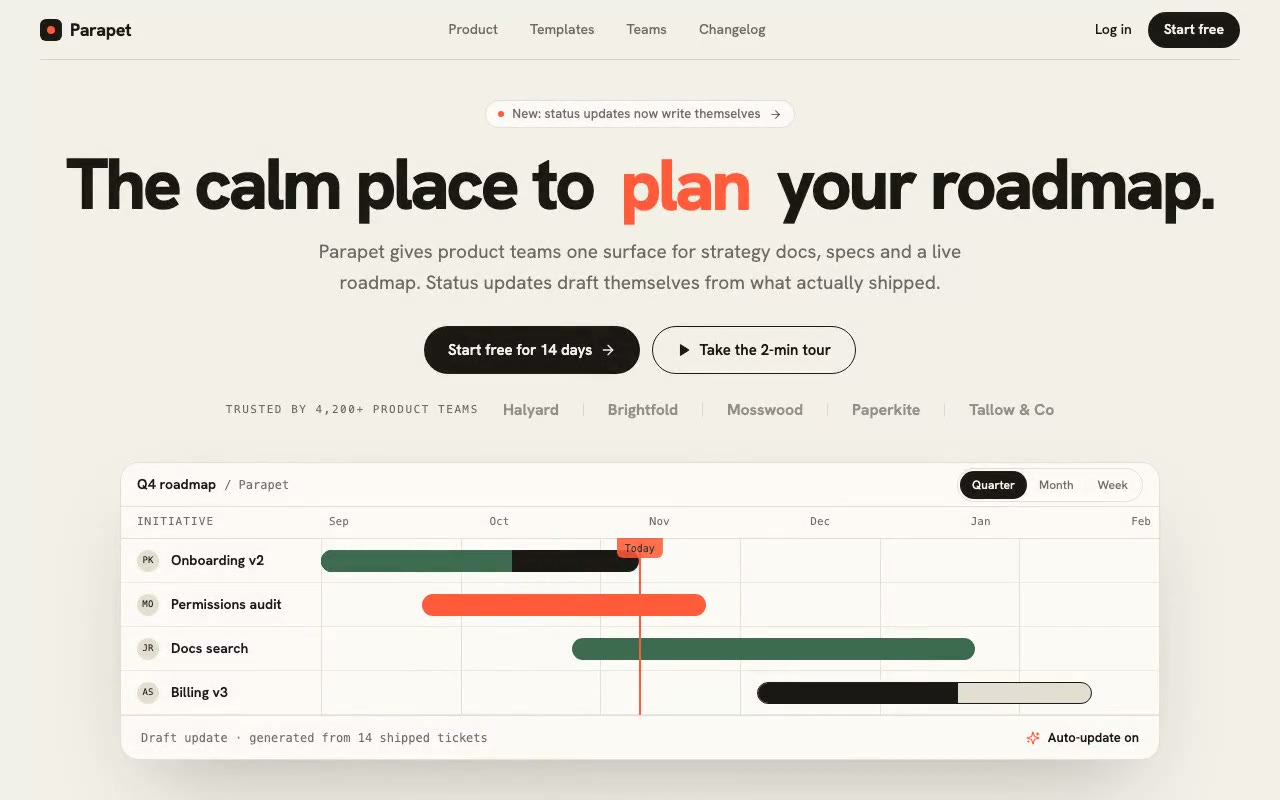
Parapet — Modern SaaS Hero
Light, paper-toned SaaS hero with an odometer headline that rolls plan, write, ship, and a live roadmap panel whose bars draw in with a sweeping today marker. Built for product teams and planning tools.
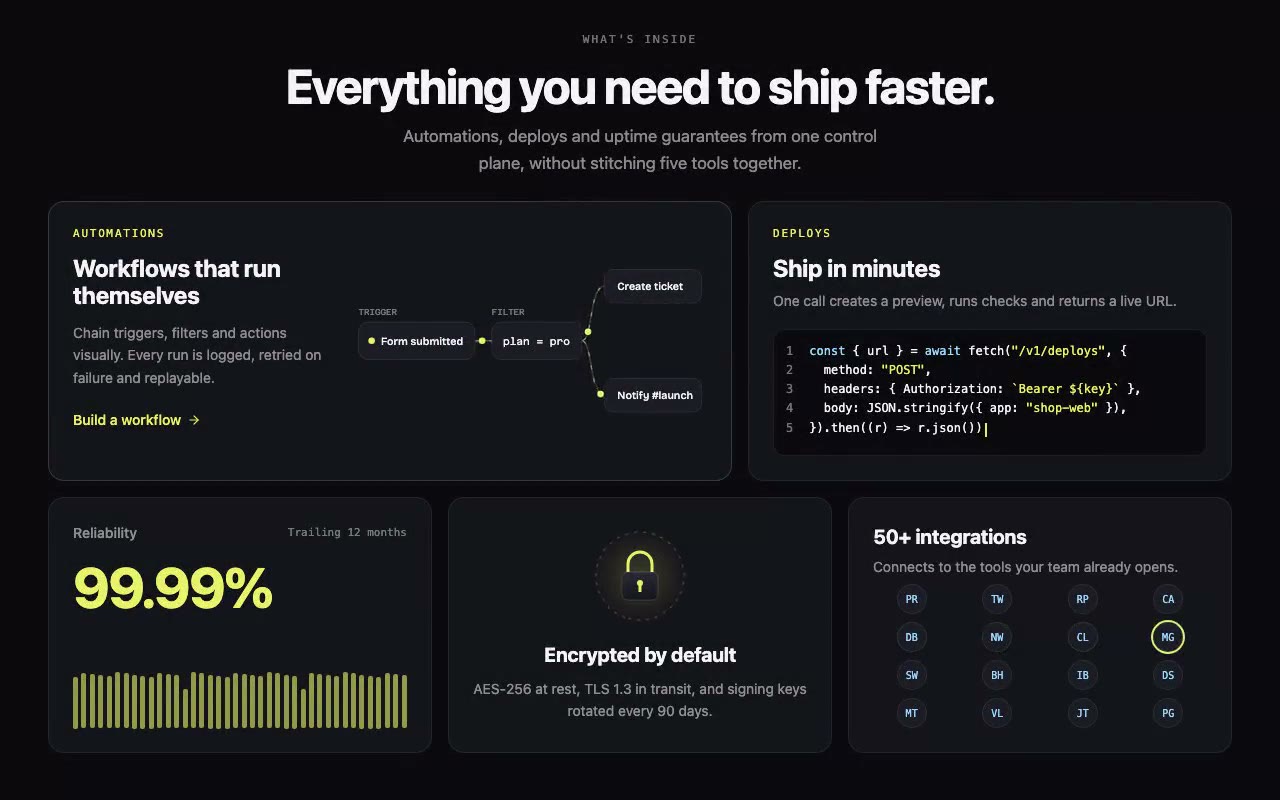
Ferrule — Features Bento Grid
Asymmetric bento features section on near-black, with an automation node graph whose pulses run along live connectors, a typed deploy snippet and a 16-chip integrations grid. Built for developer platforms, deploy tools and automation products.
The prompts in the HeroPrompts library are engineered at the level of detail described above — every font, colour, interaction, and animation specified. Skip the iteration and ship a hero section that looks like it cost money.
AI Prompt Engineering Framework for Web Design
Six parts every web design prompt needs: brand anchor, one signature mechanic, exact visuals, timing, structure and output contract. Real examples for each.
GuidesClaude Prompts for Web Design: How to Write Them
Claude prompts for web design that produce a site you would ship, not a generic template. The structure, with examples you can copy.
GuidesThe Complete Guide to AI Prompts for Web Designers in 2026
Everything a working web designer needs to know about AI prompts — how to write them, where to find good ones, how the major tools differ, and what the quality ceiling looks like.