
How to Generate AI Hero Images for a Landing Page (With Prompts)
Set the aspect ratio, leave room for the headline and match your palette, then use a five-part prompt that fits the frame. With a checklist and FAQ.
To generate a hero image with AI, start with the box the image has to fill, not the picture. Decide the aspect ratio, the third of the frame that stays empty for the headline, the palette your site already uses, and what the image must never contain. Then write the prompt around those limits. An image made without them needs heavy cropping, puts text over busy detail, and looks pasted on.
Start with the frame, not the subject
Before you write a word of prompt, measure the space the image has to live in.
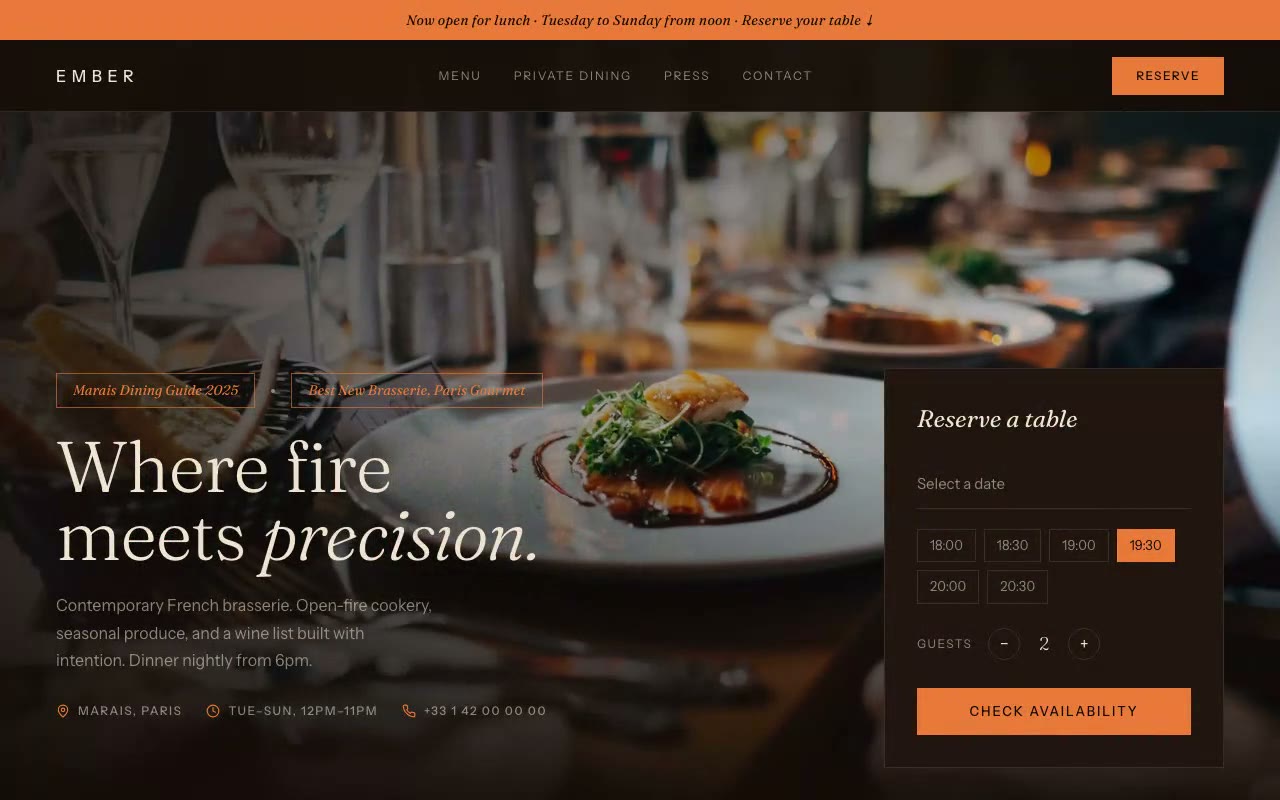
object-cover with object-position center 60%, which keeps the focal point in the lower middle of the frame on every screen.bg-gradient-to-r from-ember-bg/85 via-ember-bg/35 to-transparent. The left side is nearly solid background colour, so the headline never fights the candles.Write the prompt in five parts
Use the same order every time: subject, composition, light, palette, exclusions. Write it as one plain paragraph. Most tools respond better to descriptions than to lists of comma-separated keywords.
Here is a full prompt for a restaurant hero, built to match the Ember layout above:
Prompt: "A candlelit dining room in a Paris brasserie at dusk, a long wooden table in the middle distance with plated dishes and wine glasses, a few low candles and the glow of an open fire at the back of the room. Shot at table height, eye level, a standard lens with soft background blur. The left third of the frame is dark, out-of-focus wall with no detail, kept empty for a headline. The subject sits in the right two-thirds. Palette: deep brown-black around #140C09, copper-orange highlights near #E8793A, warm cream light near #F1E4D0. No text, no signage, no logos, no readable labels, no brand names on bottles, nobody looking into the camera. Landscape, 16:9 or wider."
Notice what each sentence does. The first is the subject. The composition sentence reserves the left side for the headline and says the subject sits on the right. The palette sentence matches the tokens in the site config. The exclusions sentence removes everything that causes trouble later: text the model will misspell, logos you cannot clear, and faces that pull the eye away from the copy.
Now compare a weak prompt:
Prompt: "A beautiful modern restaurant photo, warm, luxury vibe, high quality."
That will return a pleasant, generic dining room with the subject in the centre and nothing reserved for the headline. The design work then has to happen in the layout, around the image, rather than with it.
See the image in the hero, not in the tool
Generate four to six variations and drop each one into the real layout at desktop and phone widths before you pick. A picture that looks strong in a full-screen preview can fail once the nav, the headline and the gradient are on top. Check four things:
Keep lettering out of the image. Image models often garble words, so write the headline in HTML and let the image carry only the mood.
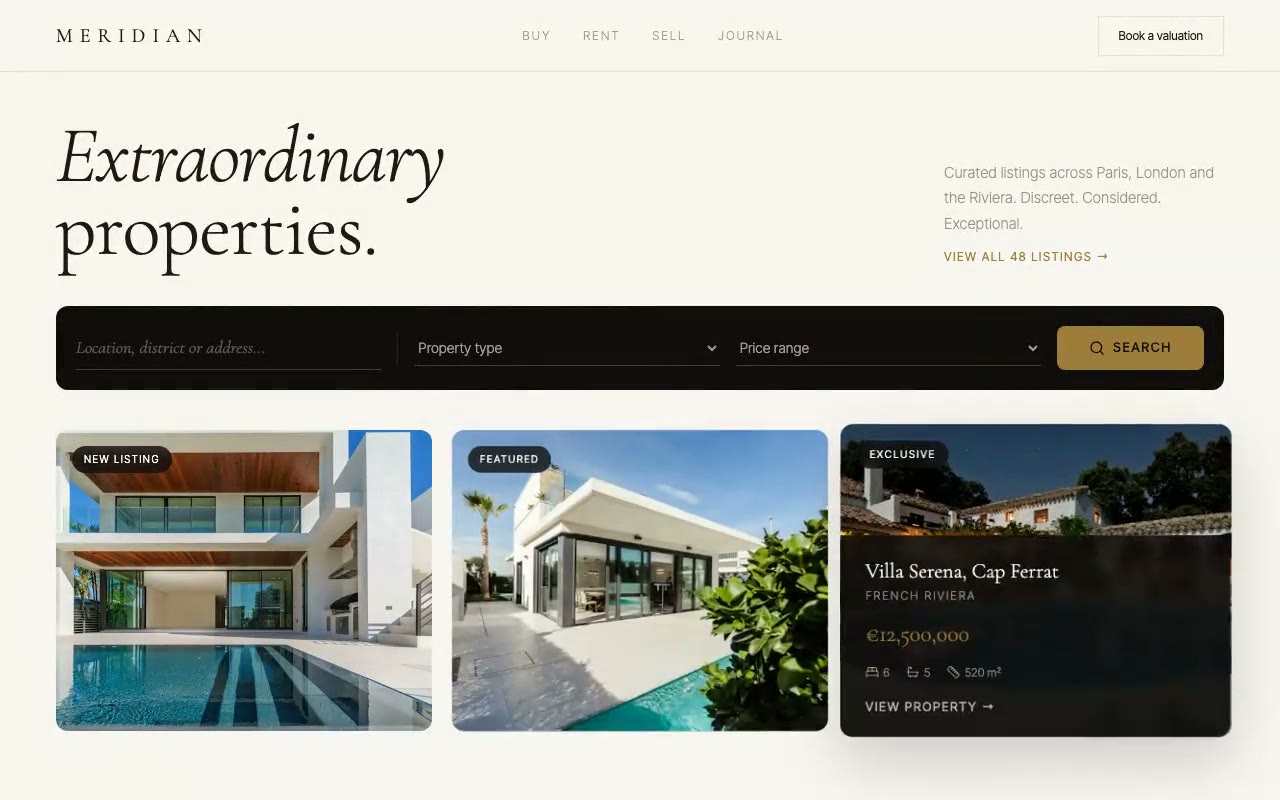
The layouts in our library show how the same image slot works in practice. The Ember hero is a full-bleed photograph under a text column and a floating reservation card. The Meridian property hero uses photographs at a fixed 5:4 ratio inside cards, so a photo there has to work in a small crop, not a wide one. Read the restaurant hero sections guide for how food photography supports the copy, and the anatomy of a hero section for where the image sits in the hierarchy.
The Meridian layout asks a different question. Each card holds one photograph, and the photograph has to read at a small size. Its prompt sets the photograph to drift inside a frame that has a little extra room on every side, so the building in the picture should sit well inside the frame, not touch the edges.
If you do not have a photograph you are sure you can use, follow the Apex route. The Apex Athletic hero draws its product in code, so the composition is fixed, the shape is original, and the hero still has a strong focal point. Its prompt also specifies preserveAspectRatio="xMidYMid meet" (never slice, which crops the shoe), which is the same rule as the photo crop: fit the whole subject in the frame before you decorate it. The same logic applies to a backdrop: Aldous puts its photograph under a dark gradient so the light serif name reads on top.
Licensing and trademark checks
Treat this part as seriously as the composition.
Hero image checklist
FAQ
What aspect ratio should an AI hero image be?
Generate landscape, around 16:9 or wider, for a full-width hero. Then check the phone crop, because a phone screen is tall and narrow. Use a CSS object position to keep the subject in view, and set a fixed ratio on any card that holds a photo.
Can I use an AI-generated hero image on a commercial website?
Often yes, but it depends on the tool's current terms and on the rules where you operate. Read the terms before you publish, and check that the image does not show a recognisable brand or person. For anything central to a product or a campaign, get proper advice.
Why does the text in my AI image look garbled?
Image models frequently produce misspelled or distorted lettering. Keep all text out of the prompt for the image, add the headline as real HTML over the picture, and use a gradient so it reads clearly.
Should my SaaS hero use a photo or an illustration?
Use a photo when the feeling is the point, such as a team, a place or a product in use. Use an illustration or a drawn interface when you need exact detail or when clearing rights to a photo is uncertain. Many SaaS heroes work better with no photograph at all, with the product's own interface doing the work.
How do I stop AI images from looking like every other AI image?
Write the palette, the composition and the light as specific choices that match your site, and exclude the generic defaults. The same palette and layout logic used across our prompt library is what makes a hero look deliberate rather than average. For more on the generic look, read why AI-generated websites look the same.
For the rest of the hero, browse the full prompt library and pick a layout first. The image is the last decision, not the first.
Build a starter hero prompt in four questions with the free generator, or copy five prompts from the library with no account.
Get the next guide by email
New hero prompts and practical AI design guides like this one, when they go live. No spam, unsubscribe any time.
By signing up you agree to receive these emails. See our privacy policy.
Prompts from this article
Ember — Modern Restaurant Landing
A warm restaurant hero over full-bleed candlelit photography, with a reservation card and a dish photo that trails the cursor across the menu copy. Built for brasseries, bistros and hospitality brands that take bookings.
Meridian — Luxury Real Estate Agency Hero
An editorial luxury real estate hero where the active property photograph drifts against its frame as the cursor moves, and its detail panel slides up. Built for luxury estate agencies, private brokerages and high-end property developers.
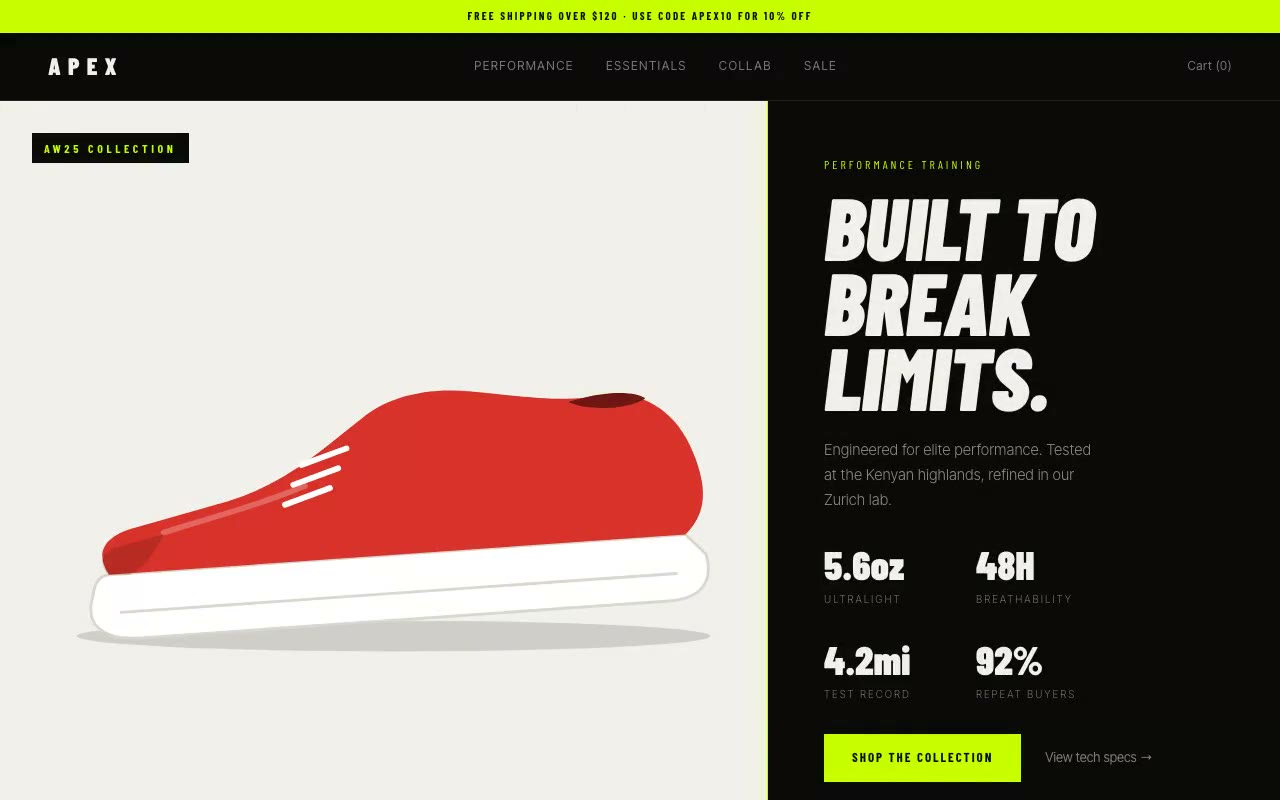
Apex Athletic — Sportswear E-Commerce Hero
A split-screen sportswear hero where a lime divider sweeps across a black-and-white product image to reveal full colour, while performance stats count up beside it. Built for athletic apparel, performance gear and DTC sports brands.
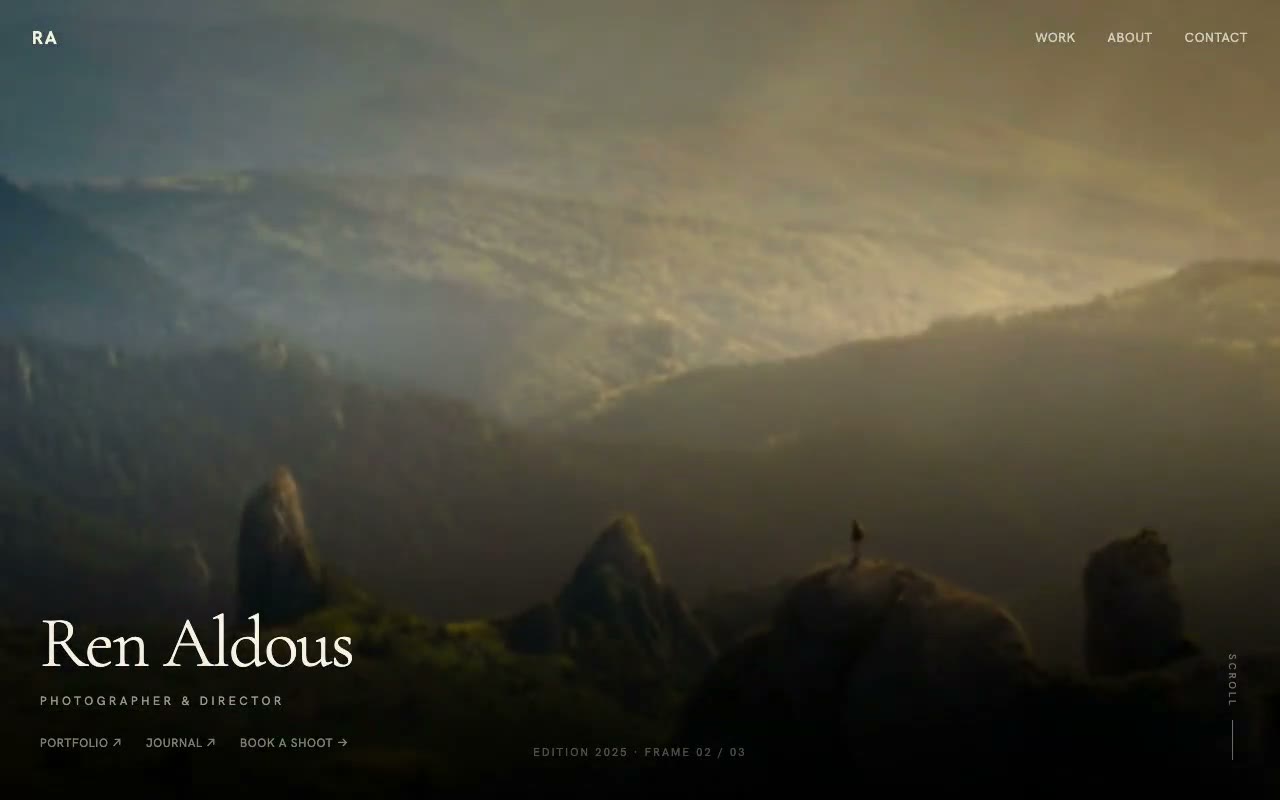
Aldous — Full-Bleed Photographer Portfolio Hero
A cinematic full-viewport photo hero where each frame racks focus from soft to sharp before handing over to the next, with a light Cormorant name over a dark gradient. Built for photographers, cinematographers and directors of photography.
The prompts in the HeroPrompts library are engineered at the level of detail described above — every font, colour, interaction, and animation specified. Skip the iteration and ship a hero section that looks like it cost money.
Mobile App Landing Page Hero Sections That Drive Downloads
A mobile app hero has one job: get the visitor to tap a store badge. Four hero patterns, the QR and badge details most prompts skip, and a working Flow prompt.
DesignLanding Page Hero Section Best Practices for 2026: The 7 Elements
Hero section best practices for landing pages and homepages: the seven elements every hero needs, the mistakes that cost conversions, and a checklist to use today.
DesignAnimated Hero Section Examples: 12 Live Previews, Explained
Twelve animated hero sections from our library, grouped by technique. Each shows the mechanic, why it works and a prompt excerpt you can reuse.