
Scroll-Driven Hero Sections: 5 Techniques and Templates to Copy
Scroll-driven hero sections tie animation to scroll position. Five techniques, how each is built, when they hurt performance, and templates with live previews.
A scroll-driven hero is a hero section where the reader's scroll position, not a timer, decides how far an animation has got. Scroll down and a line draws itself, a shape morphs or a set of notes unwraps; scroll back up and it reverses. It works when the motion is the point and the page has two or three beats to tell. It fails when the headline or the call to action sits behind a long wait, or when the motion keeps running whether the reader wants it or not.
What counts as scroll-driven
Two different techniques get called by the same name, and they need different code.
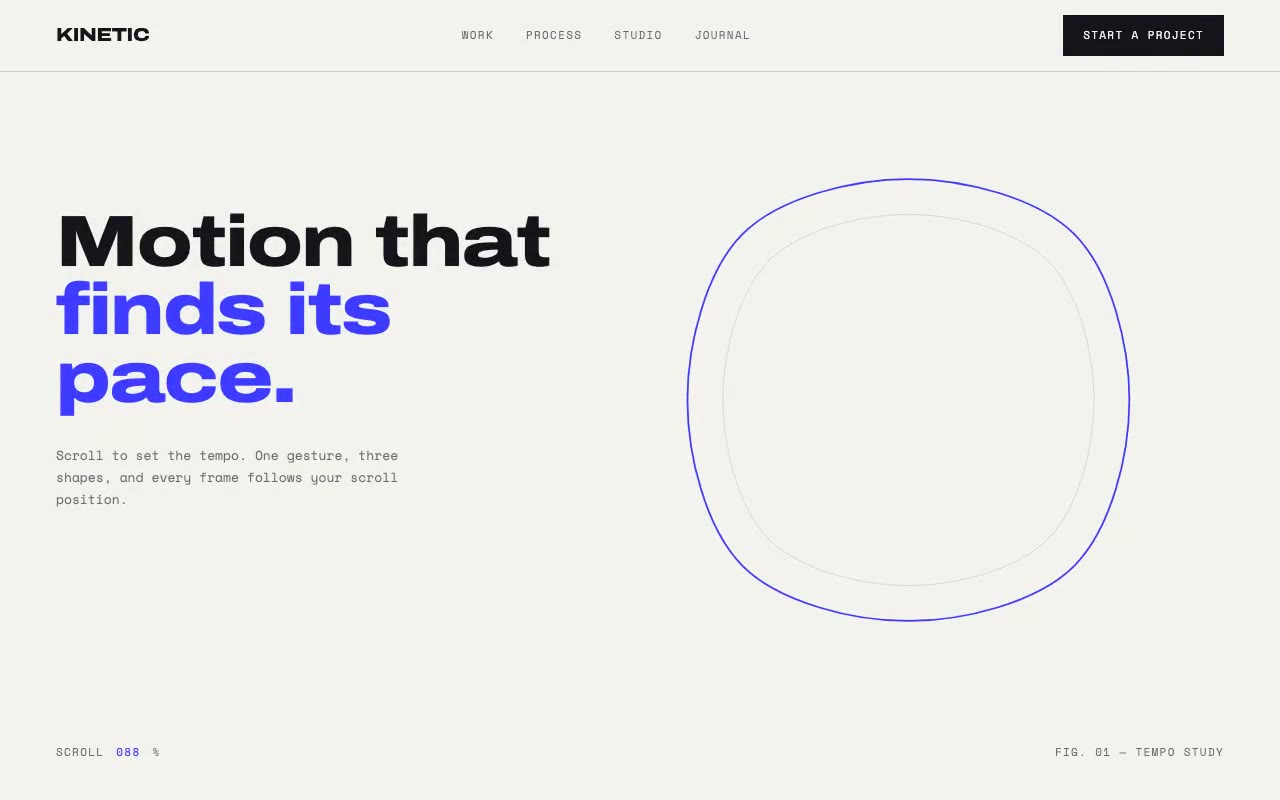
Scrubbed animation ties progress to scroll continuously. Every pixel of scroll moves the animation a little. Our Kinetic hero works this way: a scroll progress value p runs from 0 to 1 across a pinned area, and the shape is redrawn for every value of p.
Stepped animation uses scroll to flip states at fixed points. Our Cendre perfume hero works this way: three note tiers activate when progress passes 10%, 40% and 70%, and each then plays a transition of fixed length. The reader gets three distinct moments rather than a continuous change.
Stepped is cheaper, easier to keep smooth on phones, and simpler to make accessible. Scrubbed is more expressive but needs more care. Use stepped unless the motion has to track the reader's hand.
When scroll-driven helps, and when it hurts
It helps when:
It hurts when:
Performance is mostly about what runs during scrolling. Scroll handlers compete with the browser's own scrolling, so keep the work small. Animate `transform` and `opacity` where you can, since the browser can handle those without re-laying out the page. Be careful with SVG: changing a path's `d` attribute repaints the shape every frame, which is why Kinetic's morph uses eight anchor points per shape rather than a dense outline. Finally, read layout once per frame and write once, rather than alternating reads and writes.
Accessibility starts with not taking over the scroll. A pinned stage that still moves at the reader's own speed is fine. Anything that changes how far a wheel tick moves the page, or stops the reader reaching the footer, is scroll-jacking, and it breaks expectations for keyboard and screen-reader users too.
Reduced motion needs a finished state, not a blank one. Kinetic freezes the morph at its midpoint and shows the final number. Cendre shows all three note tiers at once and stops the ring rotation. To test it, switch on the reduce-motion setting in your operating system, reload, and scroll the whole section. If it is empty or stuck mid-transition, the branch is broken.
Five techniques and how they are built
1. A pinned stage with native scroll
The outer container is tall, and its child is sticky. In Kinetic the container is h-[300vh] and the stage inside is sticky top-0 h-[100dvh] overflow-hidden. The browser's own scroll moves the container, while the stage stays fixed on screen. Progress comes from the container's position:
p = clamp(−containerRect.top / (containerHeight − innerHeight), 0, 1)
At the top of the container p is 0, and when the container's bottom reaches the bottom of the viewport p is 1. Everything inside the stage (nav, headline, graphic, footnote) is absolutely positioned on top of it. Use 100dvh rather than 100vh so the stage does not sit under mobile browser toolbars.
2. Path morphing driven by progress
Kinetic draws one cobalt SVG path and morphs it through three shapes: an organic blob, a rounded square and a circle. Each shape is eight anchor points listed in the same clockwise order. That matching is the key detail. Because point 1 of the blob always pairs with point 1 of the square, the morph can blend point by point without tearing.
The path is a closed Catmull-Rom spline converted to cubic Bézier segments. For each segment from Pi to Pi+1, the control points are c1 = Pi + (Pi+1 − Pi−1) / 6 and c2 = Pi+1 − (Pi+2 − Pi) / 6. The morph splits the progress in two. From 0 to 0.5 the blob blends into the square, and from 0.5 to 1 the square blends into the circle. Each blend uses a smoothstep ease, u²(3 − 2u), so the shape settles at each stop rather than moving at a constant rate.
Each frame, the code blends the points, builds the d string and writes it with setAttribute. A second copy of the path, in graphite at 25% opacity and scaled to 84%, trails the primary line for depth. On load the primary path draws in over 1800ms with pathLength="1" and a dash offset running from 1 to 0.
3. Scroll-linked numbers and rules
The third section of Kinetic uses a different progress value. It starts when the section's top edge enters the viewport from below, and reaches 1 once that edge has travelled 80% of the viewport height up the screen:
q = clamp((innerHeight − sectionTop) / (innerHeight × 0.8), 0, 1)
An ease-out cubic turns q into the displayed value. The numeral counts from 0 to 2,400, its scale runs from 0.4 to 1 and its opacity from 0 to 1, while two hairlines grow outward from the centre with scaleX. Two details matter. First, update textContent directly rather than through React state. Second, mark the live numeral aria-live="off", so a screen reader does not announce every step of the count.
4. Stepped states with threshold triggers
Cendre's notes section is 260vh tall with a sticky stage. Progress is computed on each scroll frame, but the component only stores three booleans, and it only updates state when one of them flips:
p ≥ 0.10.p ≥ 0.40.p ≥ 0.70.When a tier activates, its gold ring fills over 1.6 seconds with an ease-out, its connector line draws over 1.2 seconds, and its note cards rise 24px into place with an 80ms stagger between cards. The cards use a 1-second transition on cubic-bezier(0.16, 1, 0.3, 1). The rings are the same stroke-dash technique as Kinetic's path, but triggered by a boolean rather than driven by p.
The ambient wheel behind the hero rotates once every 90 seconds, so the page is alive before the reader scrolls at all. Below the medium breakpoint the sticky stage is removed, and the three tiers stack as a plain list.

5. One-shot reveals with IntersectionObserver
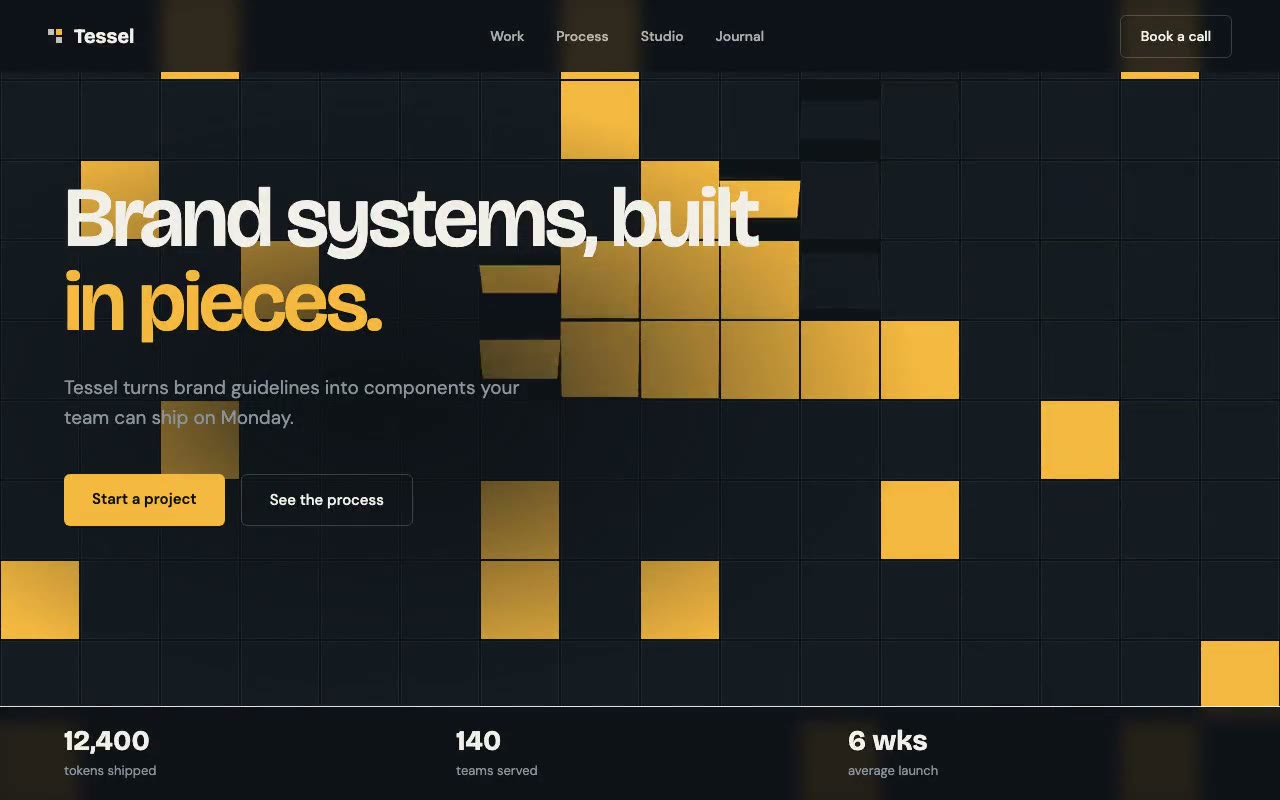
Not every scroll effect needs to track position. Tessel's process columns start at opacity: 0 and translateY(32px). An IntersectionObserver with a threshold of 0.25 adds an is-in class once the column is a quarter visible, and then disconnects. The transition runs for 800ms on cubic-bezier(0.16, 1, 0.3, 1), and each column waits an extra 120ms, so the three columns arrive in sequence.
Kinetic's principle cards use the same observer pattern at a threshold of 0.3, but split each card title into one span per character. Each character's delay is its index times 28ms, which gives a quick typewriter-like rise without any per-frame work. The Tessel prompt builds the full five-section page around this pattern.
IntersectionObserver or a scroll listener?
Pick the tool by asking whether the animation needs to know the exact scroll position.
requestAnimationFrame per frame with a pending flag. Remove the listener and cancel any pending frame on unmount.The second rule is about React. Calling setState on every scroll event re-renders the component dozens of times a second. Kinetic avoids that entirely: its scroll handler writes to refs and DOM attributes. Cendre takes a middle path and only calls setState when a threshold is crossed, in either direction, so most scroll frames do no React work at all.
Checklist before you ship
How to build one this week
p to the console while you scroll, so you can confirm the range is what you expect.d attribute or a scaleX. Keep everything else static until that works.If you want the broader rules for ambient motion, see animated background effects without killing performance. For the wider set of animated hero patterns, see animated hero section examples. The hero structure itself is covered in the anatomy of a great landing page hero section.
Scroll-driven hero templates you can copy
Each of these is a full prompt with a live preview, so you can see the scroll behaviour before you build it.
Or browse every animated prompt in the library.
FAQ
What is a scroll-driven hero section?
It is a hero where the scroll position controls the animation. Progress through a pinned area sets how far a drawing, a morph or a counter has got, so scrolling down plays the animation forward and scrolling up reverses it.
Do scroll-driven animations hurt performance?
They can. The cost comes from work done on every scroll frame. Keep the loop to transform, opacity and a few SVG attributes, avoid layout-changing properties, and do not store scroll position in React state. A stepped design that only updates on threshold crossings is cheaper still.
Are scroll-driven heroes accessible?
They can be, if the page keeps native scrolling, the headline is readable without scrolling, and the reduced-motion setting shows a finished state. They become a problem when they hijack the scroll, hide the main message behind a long pin, or leave the section blank for users who have asked for less motion.
What is the difference between a scroll-driven animation and a scroll reveal?
A scroll reveal plays once, when an element first enters the viewport, and is usually triggered with an IntersectionObserver. A scroll-driven animation is tied to position and runs continuously in both directions as the reader moves, usually with a scroll listener and a progress value.
Build a starter hero prompt in four questions with the free generator, or copy five prompts from the library with no account.
Get the next guide by email
New hero prompts and practical AI design guides like this one, when they go live. No spam, unsubscribe any time.
By signing up you agree to receive these emails. See our privacy policy.
Prompts from this article
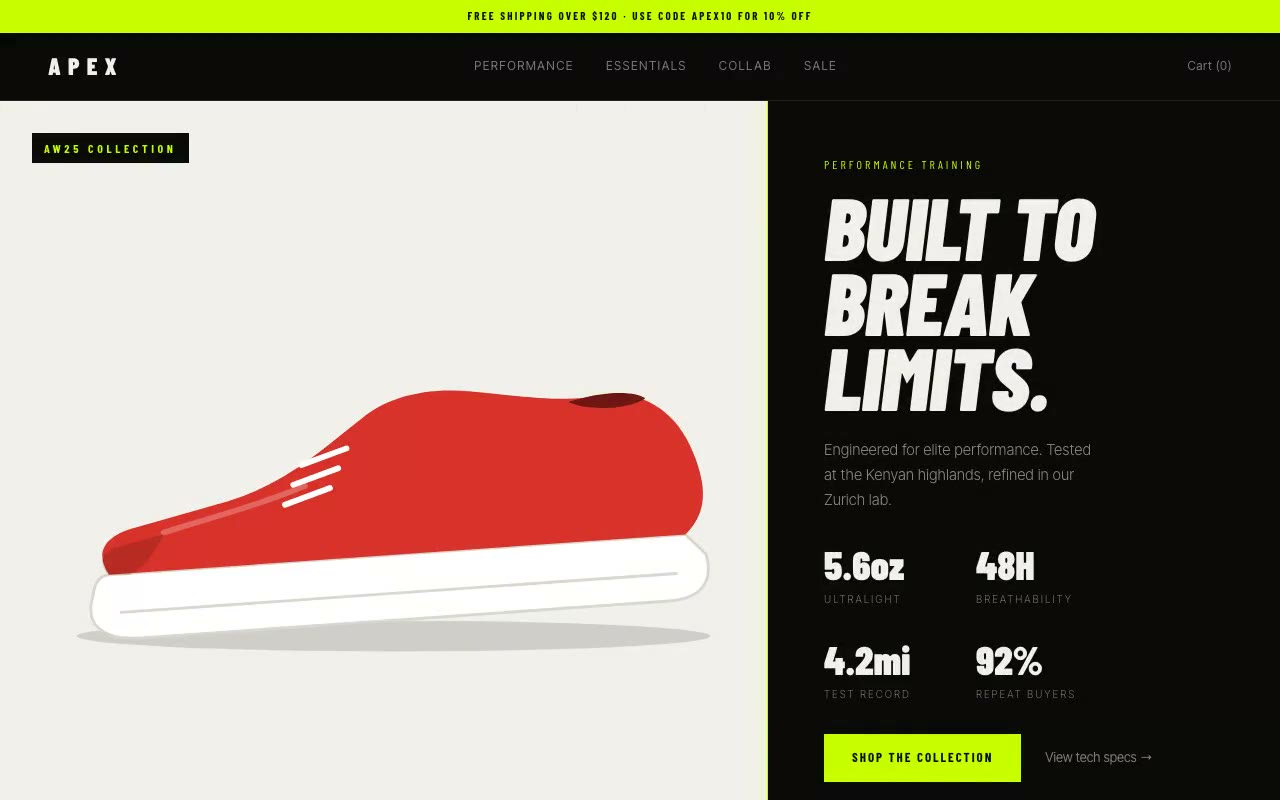
Apex Athletic — Sportswear E-Commerce Hero
A split-screen sportswear hero where a lime divider sweeps across a black-and-white product image to reveal full colour, while performance stats count up beside it. Built for athletic apparel, performance gear and DTC sports brands.
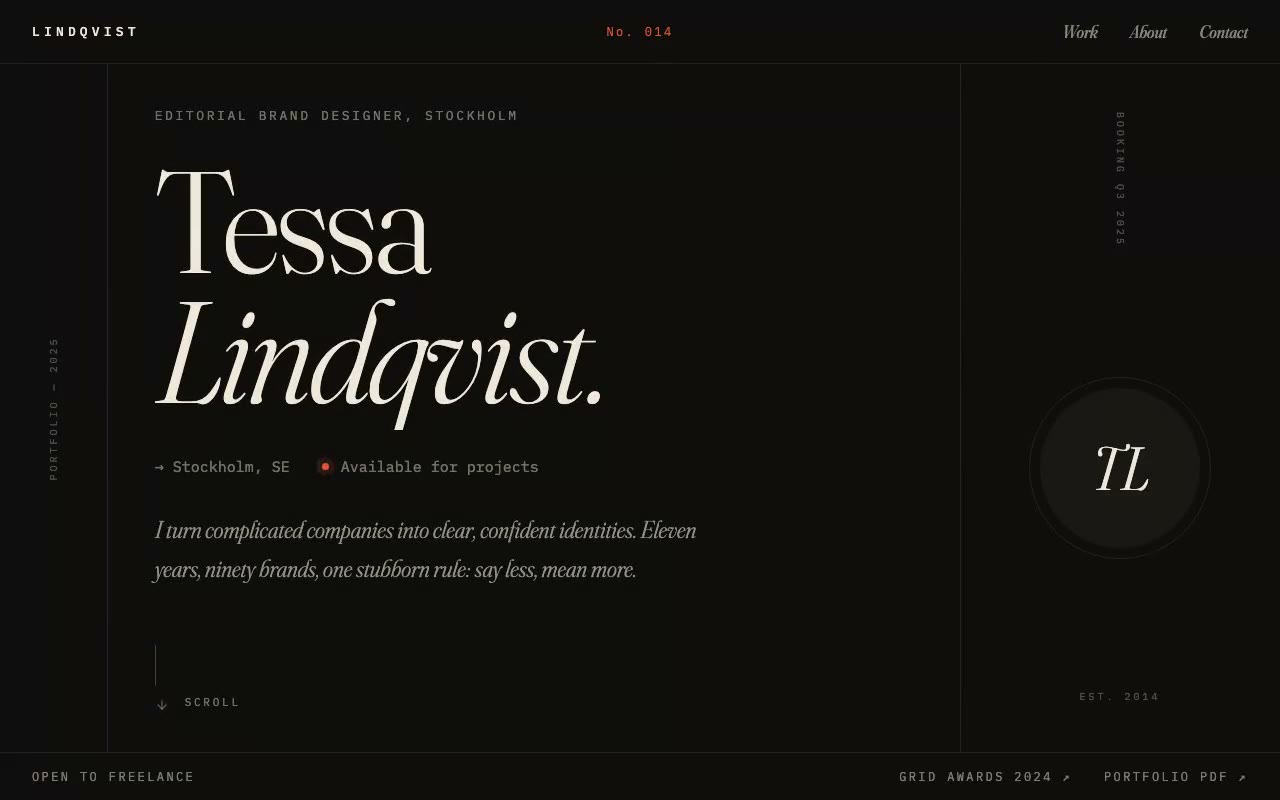
Lindqvist — Editorial Designer Portfolio Hero
A magazine-cover portfolio hero where an oversized serif name presses up line by line out of a clipping mask while a masthead issue counter ticks up on load. Built for brand designers, editorial designers and art-directed studios.
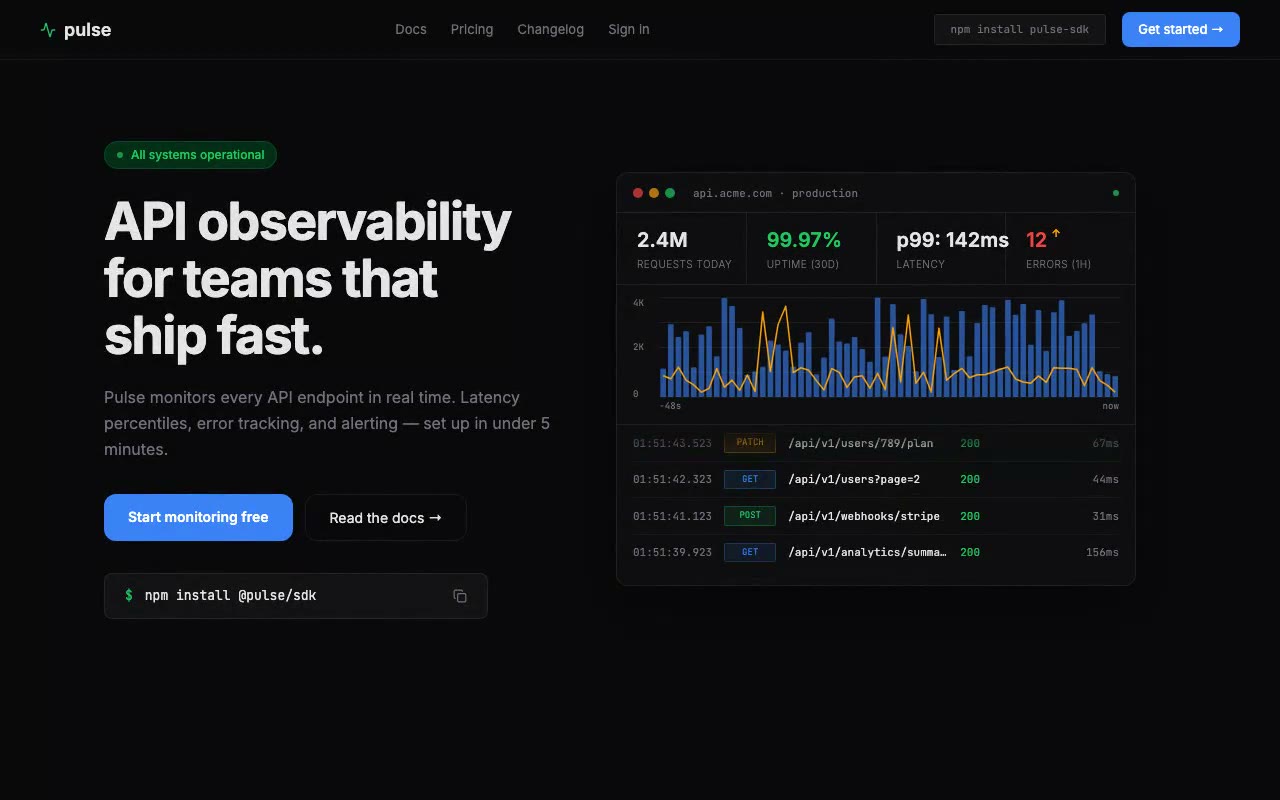
Pulse — API Monitoring Tool Hero
Developer tool hero with a live animated request graph that scrolls its volume bars and p99 latency line every 800ms, plus a terminal-style request log. Built for API platforms, SDK makers and backend teams.
The prompts in the HeroPrompts library are engineered at the level of detail described above — every font, colour, interaction, and animation specified. Skip the iteration and ship a hero section that looks like it cost money.
Animated Hero Section Examples: 12 Live Previews, Explained
Twelve animated hero sections from our library, grouped by technique. Each shows the mechanic, why it works and a prompt excerpt you can reuse.
DesignCybersecurity Website Design: Hero Examples That Earn Trust
What makes a cybersecurity website credible, with Sentinel's live threat-feed hero as a worked example, plus trust-signal rules and related SaaS prompts.
DesignSaaS Hero Section Examples: 4 Patterns With Live Previews
Four SaaS hero patterns that prove the product is real: a working dashboard, a live number, a waitlist and trust signals, each with a live preview.